

J-Tech Systems
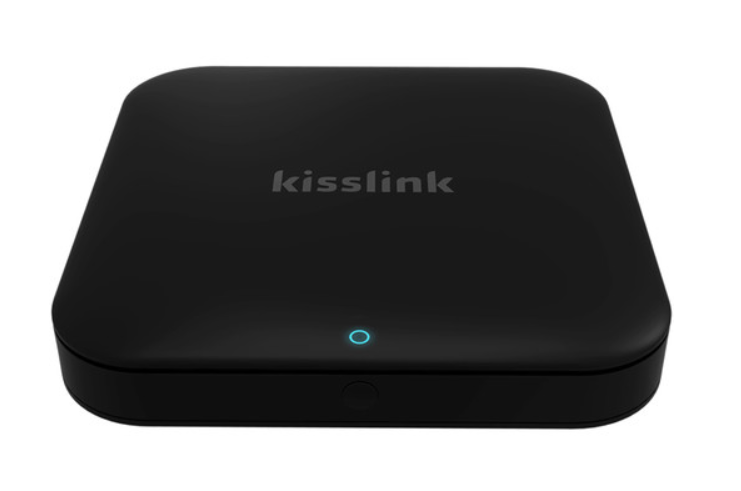
Keewifi kisslink Pro AC1300 Wireless Dual-Band Gigabit Router - NB7532
Keewifi kisslink Pro AC1300 Wireless Dual-Band Gigabit Router - NB7532
Couldn't load pickup availability
- 802.11ac Wi-Fi Network Standard
- Up to 1300 Mbps Wi-Fi Throughput
- 2.4 GHz / 5 GHz (Dual-Band)
- 5 x Internal Antennas
- 2 x Gigabit LAN Ports
- 1 x Gigabit WAN Port
- 1 x USB 2.0 Port
- kisslink Zen Button
- KISS Proximity Technology
With the kisslink Pro AC1300 Wireless Dual-Band Gigabit Router from keewifi, you can offer connected clients a fast, reliable Wi-Fi connection. This kisslink Router supports 802.11a/b/g/n/ac Wi-Fi standards and operates on both the 2.4- and 5-GHz frequencies making it easy to connect virtually any Wi-Fi enabled device to your network. The kisslink Wi-Fi Router even comes with dedicated guest network access; devices can be authenticated using kiss proximity technology, offering a secure alternative to Wi-Fi passwords. In addition to wireless connectivity, users can connect wired devices to either of the dual Gigabit LAN ports for a reliable wired network connection.
Along with a wired network connection, the kisslink Mesh Wi-Fi System also comes equipped with a single USB 2.0 port designed to accept USB storage devices. Once a USB storage device is plugged in, users throughout the network can share and store files from nearly any device on the network. Setup is simple thanks to the dedicated app available for both iOS and Android mobile devices. The app lets you manage a variety of aspects of your network including the ability to block or ban users from gaining access.
- Simply connect kisslink to a power outlet and Internet source to use kisslink as a router.
- Just connect kisslink to a power outlet to utilize it as a range extender. An automatic prompt will appear requesting access to the existing network the first time you connect.
For larger homes and spaces, it is recommended that multiple kisslink routers are installed. Adding more kisslink routers to an existing kisslink network is a 1-step process. Just plug the additional kisslink router(s) into a power outlet in an area with overlapping Wi-Fi coverage and authenticate a connected device via KISS. The new kisslink routers will then automatically connect to the existing network, and you can enjoy the complete kisslink Wi-Fi system.